
You can make a UGC-style ad with a phone, an AI presenter or a customer review you already have permission to use. Film it yourself for a natural look and edit it in a tool like CapCut. Try HeyGen, Synthesia, Creatify or Arcads if you need to test many presenter-led versions and can meet disclosure and consent requirements. If a real review makes the strongest case, get written permission to reuse it.
What does “UGC-style” actually mean for an ad?
UGC-style ads borrow the look of an everyday feed post. Use vertical framing, natural light, captions and the pace of someone talking about a product in their own words. A staff member, an AI presenter or captions over product footage can create that look.
The line you can’t cross is provenance fraud. If your ad implies a real customer said something, that customer must exist, must have actually used the product, and must have said it. Everything else is style, and style is fair game. Every policy below (FTC, Meta, TikTok) regulates truthfulness and disclosure, not aesthetics.
Can you shoot a UGC-style ad with just a phone?
Yes, and it’s still the highest-quality option in this article, because the person on screen actually exists.
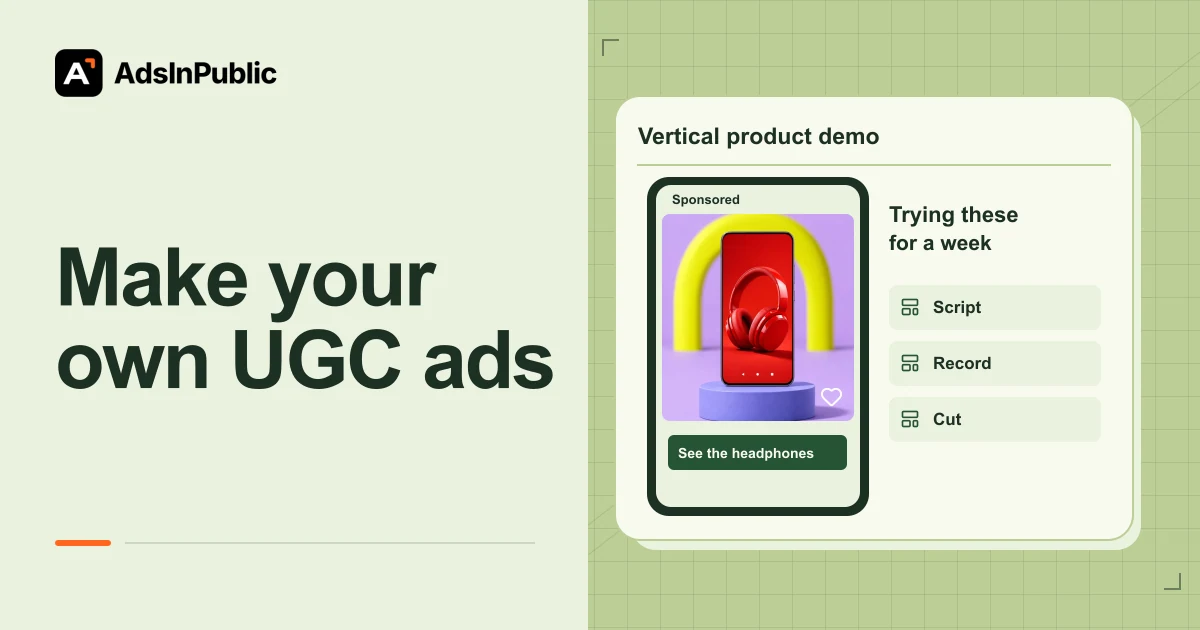
Setup. Use the rear camera at 1080p or higher and shoot vertical 9:16 as your master, exporting 1:1 and 4:5 crops for feed placements. Face a window so light falls on the speaker’s face, lock exposure and focus by tapping and holding on the subject, and keep the phone at eye level. Use a tripod for product shots and gentle handheld movement while someone is talking. Audio matters more than image for perceived quality: record in a quiet room and get a cheap lavalier mic close to the speaker’s chest rather than relying on a phone mic a meter away.
Editing. CapCut’s free tier covers cutting, captions, and platform-ready exports, but read its license before using in-app assets commercially. The CapCut Materials License Agreement splits materials into non-commercial-use and “Dual Use Materials” (the commercial-safe ones are marked with labels like “commercial use”), and warns that a video mixing both categories “can only use such content for the personal and non-commercial use.” Commercial music must come from the “Commercial Sounds” library, usable only “within CapCut, TikTok and TikTok for Business,” and US users fall under a separate agreement; footage you shoot yourself is unaffected. Canva works for text overlays and Auto Captions, and its AI features include Veo-powered “Create a Video Clip” (up to eight seconds with audio) and D-ID-powered talking heads. Clip generation is limited to paid plans like Pro and above, and Canva cautions that you “may not have exclusive rights to your AI-generated designs.”
Structure. The standard four-beat script is: hook in the first three seconds (a callout, a myth to bust, a number, a bold claim), name the problem, show the product solving it on screen, then one clear call to action. Write the hook five different ways before filming. You’ll use those variants for testing later. Speak the lines the way people actually talk; if a line is hard to say in one breath, it will look scripted on camera.
Which AI tools generate UGC-style video, and what do they cost?
Compare avatar tools by what you can produce each month and whether the plan covers commercial use. The prices below reflect November 2026 plans.
HeyGen turns scripts into avatar-delivered video in 175+ languages. Its pricing page lists a Free plan (3 videos per month, up to 1 minute each, watermarked), Creator at $29/month ($24/month billed annually, 600 credits, 1080p exports, HeyGen branding removed), Pro at $49/month (1,000 credits, its Avatar 6 Pro avatars, 4K export), Business at $149/month, and custom Enterprise terms. The credit system means the headline price buys more or fewer finished videos depending on the avatar models you pick.
Synthesia skews corporate but ships the same talking-avatar mechanics. Its pricing page lists a free Basic tier (500 credits/month, watermarked, share-by-link only, no downloads), Starter at $14/month billed annually ($19 month-to-month, downloads and watermark removal), Pro at $59/month billed annually, Business at $79/month billed annually, and custom Enterprise plans.
Creatify is built specifically for ads: paste a product URL and it drafts video and image ad variants. Its pricing page lists a Free plan (10 credits/month, watermarked exports, 300 AI actors), Standard at $15/month ($10/month billed annually), Pro at $55/month ($38 annually), Ultra at $95/month, and Business at $195/month. The standout clause: “You own all of your creatives, even after your plan ends”. Not every generator states that plainly.
Arcads positions itself squarely on AI UGC actors, with “1,000+ AI Actors” and translation in “more than 30 languages” per its homepage. Arcads shows subscription pricing after signup and offers a free trial.
Two honest limits on all of them. Realism is genuinely good for a talking head delivering lines, and still visibly artificial when the avatar needs to handle a real product, show hands, or emote through a full narrative. And every tool’s output is only as compliant as the script you feed it, which brings us to the rules.
What do AI-disclosure and endorsement rules require?
Platform AI labels. Meta automatically applies an “AI info” label to ads created or edited with its own generative AI tools or with third-party tools it can detect via metadata standards like C2PA. Disclosure is mandatory from the advertiser (not just automatic) for ads about social issues, elections, or politics containing photorealistic AI imagery or realistic-sounding AI audio, and some regions (the European Region, California, New York, India, Taiwan) let advertisers self-disclose AI use, with the label appearing next to the ad label. TikTok requires creators to label realistic AI-generated content, auto-labels detected AI content, and bans outright AI content that fakes authoritative sources or crisis events, falsely shows public figures endorsing anything, or depicts the likeness of anyone under 18 or of private adults without permission.
Endorsement rules. The FTC’s Endorsement Guides FAQ requires that “an endorsement must reflect the honest opinion of the endorser,” that disclosures be “easily noticeable, easily understandable, and hard to miss,” and that if an ad shows exceptional results, it “must make clear to the audience what the generally expected results” are. Those obligations don’t vanish because the endorser is synthetic.
Fake-review rule. The FTC’s rule on consumer reviews and testimonials (16 CFR Part 465, finalized in August 2024) prohibits testimonials that “misrepresent that they are by someone who does not exist, such as AI-generated fake reviews, or who did not have actual experience with the business,” along with undisclosed insider reviews and paid positive reviews, with civil penalties available for knowing violations. Read plainly: an AI persona delivering a marketing message is a creative choice; an AI persona staged as a genuine customer testimonial is exactly what this rule stops.
Voice and likeness licensing. Consent requirements bite hardest on custom avatars and cloned voices. HeyGen’s moderation policy requires “the explicit consent of the individual being represented,” allows voice cloning only of your own voice or with the owner’s “prior, explicit and informed permission,” bars cloning minors’ voices, and requires written approval for celebrity voices. Whatever tool you use, keep proof of consent for every real face and voice in your ads.
Can you turn customer reviews into ads?
This is the most underused route, and the cheapest. The raw material already exists in your reviews section, support inbox, and DMs. The constraints are legal, not creative.
First, get written permission from each customer whose words or face you use. A review is the customer’s own expression; repurposing it in paid media without asking is both a relationship problem and, plausibly, a rights problem. Second, quote verbatim: clean up typos if you must, but don’t edit a three-star review into sounding like a five-star one. Third, disclose the connection. If that reviewer received the product free or was paid, the FTC’s endorsement FAQ treats that as a material connection that needs clear disclosure. Fourth, don’t manufacture testimonials: the fake-review rule bans inventing reviewers, inventing experiences, and buying positive sentiment, and the same FAQ requires that ads featuring exceptional results say what results are generally expected.
The workflow is simple: pull five to ten truthful quotes, build text-on-screen animations over product b-roll you shot yourself, and lead with the most specific quote you have rather than the most generic. Specificity reads as authentic, which is the entire point of the format.
How do the three routes compare?
| Route | Typical cost | Speed | Realism | Compliance risk |
|---|---|---|---|---|
| DIY phone production | $0 with free CapCut/Canva tiers; paid tiers optional | Hours per ad once set up | Highest (a real human on camera) | Low, if claims and assets are clean |
| AI avatar generation | Free watermarked tiers; paid plans roughly $14–$95/month (Synthesia, Creatify); HeyGen $29–$149/month; Arcads quotes on signup | Minutes per video | Good for talking heads; still weak on hands, products, emotion | Highest (AI labels, consent, and fake-testimonial rules all apply) |
| Repurposing reviews | $0 beyond editing time; the cost is collecting permissions | Fast per ad once consent exists | High trust, but text animations look produced, not filmed | Moderate (permission, disclosure, verbatim accuracy) |
Costs are as listed on each tool’s official pricing page in November 2026 and will move. My recommendation: start with DIY to learn the script structure, use AI to scale hook variants of what works, and feed real customer quotes into both.
Which ad policies trip up UGC-style creative?
Personal attributes. Meta’s personal attributes policy bans ads that assert or imply the viewer has a personal attribute including race, ethnicity, religion, beliefs, age, sexual orientation, gender identity, disability, physical or mental health including medical conditions, “vulnerable financial status,” and more. The examples are worth memorizing: “Are you Christian?” violates, “Date Christian singles!” doesn’t; “Are you bankrupt? Check out our services.” violates; “Depression getting you down? Get help now.” violates while “Depression counseling” doesn’t. UGC-style scripts stumble here constantly, because testimonial cadence (“As a diabetic, I…”) sounds native and is exactly what the policy prohibits. Talk about the product and who it’s for, not the viewer’s identity.
Health and wellness claims. Meta’s health policy requires 18+ targeting for weight loss/gain, dietary, and health products plus cosmetic procedures, bans claims that you can “cure, heal, or eliminate” listed conditions (Diabetes, Cancer, HIV, Alzheimer’s, and others), prohibits “statements of inferiority about physical appearance,” and restricts weight-loss ads to showing results with a “clearly indicated” timeframe, no close-ups pinching body fat. That lands directly on AI spokespeople scripted into before-and-after weight-loss narratives the policy no longer tolerates.
Sensational and shocking content. Meta’s advertising standards say ads “must not contain shocking, sensational or excessively violent content,” which is the policy that kills the jump-scare-hook school of UGC-style creative. TikTok’s AI rules add their own hard line: no synthetic fake crisis events or fake public-figure endorsements, even with a label applied.
Financial claims. “Get out of debt fast” phrasing may survive Meta’s language test, but pairing it with an AI avatar who claims a personal debt-recovery story crosses both the fake-testimonial rule and the vulnerable-financial-status attribute rule. In regulated categories, have a compliant human deliver the compliant claim.
How should you test UGC-style ads?
The format’s whole advantage is variant velocity, so structure your testing around hooks, not whole ads. For each message angle (say, “saves time” versus “saves money”) produce three to five ads that are identical after the first three seconds and differ only in the hook. That isolates what you’re actually measuring.
Four concepts are enough to run the loop. Hook rate: the share of impressions that turn into at least three seconds of video play. A low hook rate is a creative problem, not a targeting problem. Hold rate: of the viewers who made it past three seconds, how much of the ad they watch. A low hold rate means the hook over-promised. Click-through rate: clicks per impression, which tells you whether the ad generates intent. And cost per acquisition: spend divided by conversions, the only number that decides a winner. Benchmarks vary enormously by vertical, format, and platform, so compare each variant against your own account’s baseline instead of any published number. Let each variant collect meaningful spend before judging it, then kill the losers, keep the winning body, and swap in new hooks. That loop (not any single brilliant ad) is how teams without creators stay competitive with teams that have them.
When is hiring one real creator still worth it?
I’ll close with the honest tradeoff, because DIY and AI are not always the right answer. In authenticity-sensitive categories (supplements and anything health-adjacent, financial services, parenting products, safety equipment) the ad’s persuasiveness rests on whether the audience believes the speaker actually used the product. An AI presenter can’t honestly carry a testimonial there: the FTC requires endorsements to reflect honest opinion and actual experience, and a synthetic spokesperson has neither. A labeled AI ad also starts every viewing by announcing that the person on screen isn’t real.
The budget fix isn’t a big agency roster. One micro-creator with a written usage-rights agreement (paid once, licensed for paid media for an agreed period) gives you a genuine face for the flagship testimonial, while DIY b-roll and AI variants handle the volume around it. Spend the creator budget where belief matters, and spend your own hours where volume matters. That mix, not any single route, is what creating UGC ads without hiring influencers looks like for most small teams.
Frequently asked questions
Do I have to disclose that an avatar is AI-generated? Yes where the platforms require it. Meta applies automatic AI info labels to detectable AI content and mandates advertiser disclosure for AI-generated photorealistic content in social-issue, election, and politics ads; TikTok requires labeling of realistic AI-generated content. And regardless of platform mechanics, any endorsement claim must meet the FTC’s clear-and-conspicuous standard.
Can an AI actor say they’re a customer? No. The FTC’s review rule prohibits testimonials that misrepresent they come from someone who exists or has actual experience with the product. Use AI presenters as clearly presented presenters, never as staged “real customer” quotes.
Is it legal to quote a customer’s review in a paid ad? With the reviewer’s permission, quoted truthfully and verbatim, and with any material connection (free product, payment) disclosed per the FTC’s endorsement FAQ. If the review lives on a third-party platform, check that platform’s terms too.
What’s the cheapest way to start this week? The phone route: film one product b-roll pass and one talking pass, edit in CapCut’s free tier, and make four hook variants. The free tiers of Creatify and Synthesia exist but watermark output; the first credible paid tier runs about $14–$15/month on Synthesia or Creatify.
Sources and references
- FTC’s Endorsement Guides: What People Are Asking
- FTC Announces Final Rule Banning Fake Reviews and Testimonials
- Meta Advertising Standards
- Meta: Privacy Violations and Personal Attributes
- Meta: Health and Wellness
- Meta Business Help Center: About AI info on ads created or edited with generative AI tools
- TikTok Support: AI-generated content
- HeyGen Pricing
- HeyGen Content Moderation Policy
- Synthesia Pricing
- Creatify Pricing
- Arcads Homepage
- CapCut Terms of Service
- CapCut Materials License Agreement
- Canva: AI Video Generator features