
Choose one objective, define who you need to reach, and build an offer your ad can prove. Set a budget you can afford to learn from, then set up conversion tracking before you launch. Without that last step, a platform can spend the full budget and leave you guessing which clicks produced leads or sales.
Step 1: What Are You Actually Trying to Achieve?
Which objective and metric should you choose?
A campaign exists to move one measurable result: sales, leads, website traffic, or awareness. Pick the single outcome that matters most right now. I’d always pick the objective before the audience, because the objective determines everything downstream. Google Ads makes choosing an objective the first step of campaign creation, and its objectives include Sales, Leads, Website traffic, YouTube reach, and App promotion; Google notes the objective should align with “the main thing you want to get from your campaign” (Google Ads Help). Meta puts the objective at the top of its campaign → ad set → ad structure (Meta Business Help Center). One warning: on some Google campaign types (Performance Max, Demand Gen, Video), the objective can’t be edited after creation, so a rushed choice isn’t easily undone.
Define the number too. Not “more customers,” but “20 extra orders this month.” Every later decision (budget, creative, whether to keep the campaign alive) gets judged against that number.
Who exactly is this for?
Write a two-sentence description of the ideal customer, your ICP: what problem they’re trying to solve, and where they go when they have it. It needs to be specific enough that you can answer, “Would this person stop scrolling for this ad?” Also state which funnel stage you’re buying: cold audiences who’ve never heard of you, warm audiences who visited your site, or existing customers. Mixing all three in one campaign muddies every metric.
Which channel fits the job?
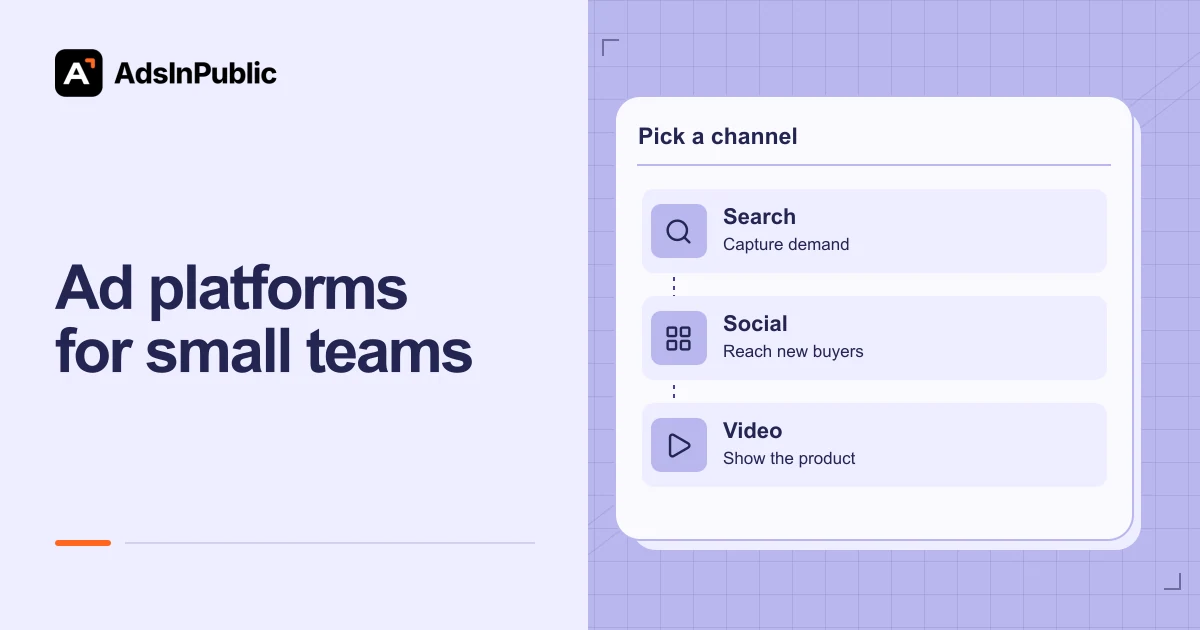
Think in two buckets. Intent channels (Google Search above all) reach people already looking for the thing, high intent, limited reach. Interruption channels (Meta, TikTok, YouTube, display) place your message inside entertainment, huge reach, but nobody came looking for an ad, so the creative has to earn attention.
My rule: if people actively search for what you sell, start with search. If they don’t know they need it yet, or the product is visual and impulse-friendly, start with social. One channel, measured properly, teaches you more than two channels measured badly.
Step 2: What Does the Ad Promise, and Can You Prove It?
Before touching Ads Manager, write the offer in one line: what the person gets, what it costs, and why they should believe you. That last part (proof) is where most first campaigns are thin. Proof can be a price anchor, a guarantee, a review count, a before/after demo, or a recognizable client logo. Without it, the ad is a claim, and claims compete on volume.
The ad’s promise and the landing page must match, word for word where possible. If the ad says “free shipping on your first order” and the landing page opens with a generic brand hero, conversion collapses. People don’t hunt for what they were promised. It’s the cheapest optimization in advertising: it costs nothing and it’s under your control, unlike the auction.
Step 3: How Much Should You Spend?
There are three workable approaches. Use one, not all three at once.
Approach 1: the affordable-loss budget
Decide the monthly amount you can lose without it hurting the business. A first campaign is tuition: its job is to generate the data that makes the second campaign better. This approach keeps you rational; the downside is that too small a budget can under-deliver (see Approach 3) and starve the algorithms of results to optimize against.
Approach 2: Work backward from your goal
Work backward from the value of a conversion to set a budget. Replace the figures in this example with your own order value and conversion rate.
- Target result: 20 extra orders per month.
- Your site converts 2% of ad-driven visits to orders → you need 20 ÷ 0.02 = 1,000 visits.
- Suppose 3% of ad clicks convert (measured by your pixel, not assumed) → you need 1,000 ÷ 0.03 ≈ 667 clicks.
- If clicks cost around $2 for your keywords or placements (check your own auction data) → budget ≈ 667 × $2 = $1,334/month, roughly $45/day.
Every input comes from your own data or your own willingness to estimate and correct later. The value isn’t the precision. It’s that it forces you to name your assumed conversion rate and cost per click, then verify both once real data arrives. If reality is twice as expensive as the plan, you’ve found the problem early.
Approach 3: the platform-minimum floor
Platforms enforce (and recommend) minimums, and they’re worth knowing before you commit:
| Platform | Budget floor (verified) | Notes |
|---|---|---|
| Google Ads | You set an average daily budget (Google’s mechanics are built around that average) | Google may spend up to 2x your daily budget on a busy day, capped monthly at 30.4x your daily average (Google Ads Help) |
| Meta | Minimum budgets required and enforced; they vary by country, objective, currency, and bid strategy | Meta recommends daily budgets at least 5x your cost-per-result goal. A $5 cost-per-result goal implies $25/day (Meta Business Help Center) |
| TikTok Ads Manager | Campaign level: budget must exceed $50/day; ad group level: must exceed $20/day | Lifetime budgets must exceed daily minimum × scheduled days. A 31-day ad group needs more than $620 total (TikTok Ads Manager) |
Two things those floors don’t tell you. First, on Meta, the “$5/day” figure quoted everywhere is a starting point, not a guarantee, Meta’s current guidance treats minimums as variable and shows an alert in Ads Manager when your setting is below what your account requires, so treat the in-tool warning as the source of truth. Second, thin budgets have a structural cost: Meta’s delivery system expects an ad set to collect roughly 50 optimization results in the week after its last significant edit to exit the learning phase, and ad sets that can’t get there stall in “Learning limited” status (Meta Business Help Center). If your budget can’t plausibly generate 50 results a week for your optimization event, raise the budget or optimize for an earlier, cheaper event (add-to-cart instead of purchase) until you can afford the real one. TikTok similarly ties budget changes to learning status: while learning, cap increases at 40% per adjustment, 30% after, and no more often than every two days (TikTok Ads Manager).
Step 4: What Makes the Creative Worth Stopping For?
Match the format to the placement before you write a script. Meta’s placement guidance is explicit: feed ads work at 1:1 and 4:5 (4:5 recommended for single-image ads in Facebook Feed, 1:1 for Instagram Feed), while Stories and Reels are 9:16 vertical to fill the screen (Meta Business Help Center). TikTok’s creative guidance calls for vertical 9:16, at least 720p, with people on camera and a DIY, not-overly-polished look (TikTok Ads Manager). In short: 9:16 short video for Reels, Stories, TikTok, and Shorts; 4:5 or 1:1 for feeds; horizontal 16:9 only where the placement is horizontal.
Structure every video the same way: hook, body, close. TikTok’s help says to prioritize the hook in the first six seconds and introduce the content proposition in the first three (TikTok Ads Manager). Assume sound-off viewing: captions or text overlays on everything, so the message survives a muted commute.
Volume is the real lever. A first campaign with one creative is a coin toss with no chance to reflip. TikTok recommends 3–5 different creatives per ad group and 3–5 ad groups per campaign, and stresses that big differences between creatives beat cosmetic tweaks (TikTok Ads Manager). Test different hooks, angles and responses to buyer objections. For search campaigns, the creative is text: Google’s responsive search ads need at least 3 headlines (up to 15, 30 characters each) and 2 descriptions (up to 4, 90 characters each) (Google Ads Help). Use the slots to say different things, not the same thing smaller.
Step 5: How Will You Know It Worked?
Pixels, tags, and server events
Tracking goes in before launch. Retro-fitting it means the first weeks of data are unrecoverable. Meta pairs its Pixel with the Conversions API: the API sends events from your server (or platform integration), those events are processed just like Pixel events, and setup and verification are handled in Events Manager (Meta for Developers). TikTok’s flow is Tools → Events Manager → Connect Data Source → Web, with a partner integration (Shopify, Google Tag Manager) or manual install, and TikTok recommends running its Pixel and Events API together for stronger measurement (TikTok Ads Manager). Google Ads conversion tracking installs via the Google Tag or Google Tag Manager. Verify every tag fires a test event before launch day. A pixel that “installs fine” but never fires is the most expensive silent failure in paid media.
UTM conventions
Platform reporting tells you what the platform saw; UTMs tell you what your analytics saw. Google’s documentation recommends always using utm_source, utm_medium, and utm_campaign together, keeping values lowercase and consistent (they’re case-sensitive), and giving every campaign exactly one utm_campaign value so effort doesn’t split across rows (Google Analytics Help). Pick a convention (utm_source=facebook, utm_medium=cpc, utm_campaign=2026-11-launch). Write it down, and never deviate. Google’s Campaign URL Builder generates the links (Google Analytics Dev Tools).
One metric per funnel stage
Assign one metric to each stage and ignore the rest: impressions tell you the auction accepted you; CTR tells you the creative worked; landing-page conversion rate tells you the promise held; cost per result tells you whether the economics survive. If results disappoint, walk the chain from the top. Great CTR with no conversions is a landing-page or offer problem, not a creative problem.
Step 6: What Happens on Launch Day and After?
How do the platforms structure a campaign?
Expect a hierarchy everywhere: in Meta, a campaign holds your objective, ad sets define audience, placements, budget, and schedule, and ads hold the creative (Meta Business Help Center); TikTok follows campaign → ad group → ad; Google organizes campaigns → ad groups → ads. This structure is your testing grid. Change one variable per layer, not five at once.
Then, patience. Meta’s learning phase ends after an ad set reaches roughly 50 results in the week following its last significant edit, and Meta advises waiting until an ad set exits learning before editing it, because edits reset the clock (Meta Business Help Center). Google’s Smart Bidding shows a “Learning” status for no more than 7 days after major changes, and Google recommends evaluating performance over at least 2 conversion cycles or a 2-week window, whichever is longer (Google Ads Help).
My kill/scale cadence for a first campaign: check daily that delivery is happening and spend matches plan, but don’t judge performance on day 2. Conversion delay alone can make a good campaign look dead for a week. After two full weeks, cut what’s clearly failing and increase budget toward what’s working, in the platform’s suggested increments. Scale in steps, not leaps, so the algorithms keep learning instead of restarting.
Mistakes that sink first campaigns
The same five mistakes appear in almost every failed first campaign: judging results on day 2 before the learning phase has done anything; making constant edits that reset learning; launching without verified tracking; running a single creative; and spreading a small budget across multiple campaigns and objectives when one well-fed campaign would have generated enough data to act on. Every one of those is avoidable with the checklist below.
Your first-campaign checklist
- One objective, one number, written down.
- Two-sentence ICP, and a stated funnel stage (cold/warm/existing).
- One channel chosen by intent vs. interruption logic.
- Offer with a named proof element, matched to the landing page.
- Budget via one of the three approaches, above the platform floor, with the learning-phase math sanity-checked.
- 3–5 genuinely different creatives (or a full RSA for search).
- Pixel/Conversions API/Events API installed and verified with a test event.
- UTM convention documented and applied to every destination URL.
- Two weeks on the calendar before the first real verdict.
- Edit freeze during learning, then kill/scale in steps.
FAQ
How much should a first campaign actually spend?
Enough to clear the platform floor and generate at least a week of meaningful results for your optimization event. The verified reference points: Google works from an average daily budget with a monthly cap of 30.4x that average; Meta requires minimums that vary by account and recommends 5x your cost-per-result goal; TikTok requires more than $50/day at the campaign level or $20/day at the ad group level. Below the “enough data to learn” threshold, spending is just noise.
How long before I judge results?
Two weeks minimum, and only against cost-per-result. Meta’s learning phase targets roughly 50 results per ad set per week after the last significant edit, and Google’s Smart Bidding guidance is to evaluate over 2 conversion cycles or 2 weeks, whichever is longer. Day-2 panics and day-3 edits are how good campaigns get killed.
Which platform should I run first?
Follow the intent test. If customers search for what you sell (services, replacements, urgent needs), Google Search first. If your product is visual, impulse-driven, or new to the market, Meta or TikTok first. One platform, fully measured, beats two platforms half-measured.
Can I run multiple objectives at once from day one?
I wouldn’t. Each objective needs its own budget to reach learning, and splitting a small budget across objectives means none gets enough results to optimize. Prove one objective, then expand, especially since some Google campaign types can’t change objective after creation.
What if the campaign gets clicks but no conversions?
Walk the funnel: high CTR plus no conversions is a landing-page or offer problem, not a bidding problem. Check message match (does the page repeat the ad’s promise?), load speed, form length, and whether the pixel recorded the event at all. Fix the page before touching the campaign. The ads already proved the creative works.
Sources and references
- Google Ads Help: About campaign objectives. Google’s list of campaign objectives and guidance on aligning the objective with the main business outcome.
- Google Ads Help: Create a campaign. Official campaign creation flow; confirms choosing the advertising objective is the first step.
- Google Ads Help: About overdelivery and your average daily budget. The 2x daily / 30.4x monthly spending rules for Google Ads budgets.
- Google Ads Help: About Smart Bidding learning. Learning status caps at 7 days, its triggers, and Google’s 1–2 conversion cycle evaluation guidance.
- Google Ads Help: About responsive search ads. RSA requirements: 3–15 headlines at 30 characters, 2–4 descriptions at 90 characters.
- Meta Business Help Center: What are the advertising levels in Meta Ads Manager?. The campaign → ad set → ad hierarchy and what each level controls.
- Meta Business Help Center: Best practices for minimum budgets. Meta’s minimum budget requirements, the 5x cost-per-result rule, and Advantage+ campaign budget notes.
- Meta Business Help Center: About the learning phase. The ~50-results-per-week exit threshold, edit resets, and “Learning limited.”.
- Meta Business Help Center: Best practices for aspect ratios in Meta ads. Placement-by-placement aspect ratio recommendations (feed 1:1/4:5, Stories and Reels 9:16).
- Meta for Developers: Conversions API. How server-sent events complement the Meta Pixel and how verification/deduplication works.
- TikTok Ads Manager: About budgets for ads. TikTok’s verified minimums ($50 campaign / $20 ad group daily), lifetime budget formula, and learning-phase budget adjustment caps.
- TikTok Ads Manager: Creative best practices for performance ads. Hook timing, vertical 9:16 guidance, captions, and the 3–5 creatives per ad group recommendation.
- TikTok Ads Manager: Set up and verify Pixel / web data connection. Events Manager setup steps and the recommendation to run Pixel and Events API together.
- Google Analytics Help: URL builders: collect campaign data with custom URLs. Official UTM parameter guidance, including lowercase consistency and using source, medium, and campaign together.
- Google Analytics Dev Tools: Campaign URL Builder. Google’s tool for generating tagged campaign URLs.