
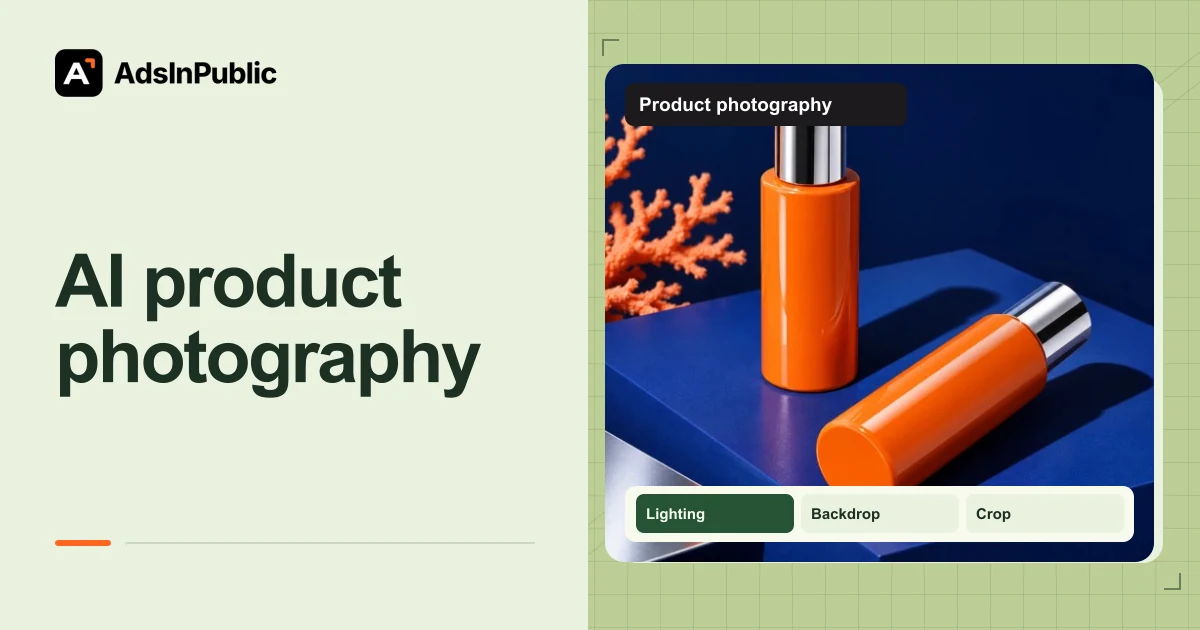
Use Photoroom for batch editing and full catalogs, or try Flair.ai or Pebblely for affordable staged scenes. Claid.ai can automate catalog workflows through its API. Pixelcut and Mokker serve smaller budgets, and Canva and Meta’s background generation are free starting points. These tools can generate a scene, background and shadows around your product. Start with a clean, well-lit photo so the product itself looks right.
The 8 tools at a glance
| Tool | Best for | Verified price | Notable capability |
|---|---|---|---|
| Photoroom | Catalog-scale imagery + video ads | Credit tiers; no public dollar figures | Batch processing thousands of images |
| Flair.ai | Staged scenes and on-model shots | Free; $8/mo | Drag-and-drop scene design |
| Pebblely | Theme-based backgrounds on a budget | $9–$39/mo | 40+ themes, bulk generate |
| Claid.ai | API automation for marketplaces | Free trial; custom tiers | Batch enhancement via API |
| Pixelcut | Mobile-first sellers, teams | Free; $8/mo (annual) | Bulk exports, commercial license |
| Mokker | Single-image background replacement | Free trial; $13/mo | Unlimited photos on Team tier |
| Canva | The design layer around the photos | Free; Business $250/yr | AI backgrounds, brand kits |
| Meta Advantage+ creative | Background generation inside catalog ads | Free (in Ads Manager) | AI backgrounds for catalog ads |
1. Photoroom: the catalog-scale workhorse
Photoroom’s verified tiers run Pro, Max, Ultra, and Enterprise with credit allowances of 8,000, 25,000, and 75,000 AI credits and 1,000–10,000 exports per month respectively, with no dollar figures displayed on its pricing page (Photoroom pricing). The toolset covers background removal, AI product photography, virtual try-on, AI expand, retouching, and Product Staging, plus a Video Ad Maker that “turns your product photos into video ads with actors, music and voiceover” on the Max tier and above, and Batch Processing that edits “thousands at once” with catalog management and an API. The credit structure is the thing to model: core tools are unlimited within fair use, while video, fashion models, and AI backgrounds draw from the monthly pool.
2. Flair.ai: staged scenes with a drag-and-drop designer
Flair.ai is the staging tool: drag your product into an AI-designed scene, add props and models, and export ad-ready stills and short videos. Verified tiers (Flair pricing): Free ($0, 5 generated images, 1 video), Pro $8/month, Pro+ $26/month (80 images, 3 videos, company commercial license), Scale $38/month (150 images, 5 videos). The commercial license gates at Pro+. Check that before using outputs in client or paid work. Its category-specific workflows (fashion, jewelry, food, furniture, beauty) make it the fit when the product’s presentation, not just its background, needs designing.
3. Pebblely: theme-based backgrounds at the lowest price
Pebblely generates product photos on 40+ background themes with custom prompts; verified tiers (Pebblely pricing): Lite $9/month (30 images), Basic $19/month (200 images, bulk generate), Pro $39/month (500 images, bulk generate), with yearly billing adding 2+ months free. The theme system is the appeal. Pick a “kitchen marble” or “outdoor” theme, and the product lands in a consistent scene without prompt engineering. The trade is flexibility: themes constrain you compared with Flair’s scene designer or Photoroom’s toolset.
4. Claid.ai: the API for catalogs and marketplaces
Claid.ai is built for automation: an “AI product photography suite” covering AI Photoshoot, background removal and generation, upscaling to 2K/4K, AI fashion models, and image-to-video, with export formats tailored to Shopify and Instagram stories and a dedicated API for batch-processing marketplace imagery (Claid.ai pricing). Verified structure: a free trial (50 credits plus 50 API credits), Essentials and Pro plans whose dollar prices aren’t listed on-page (the FAQ references Pro at 2,000 credits/month), and Business at custom terms with unlimited quotas and SLAs. Its per-action credit table is published (upscaling costs 2–8 credits, background removal 1 credit, AI Photoshoot 4 credits, AI video 60 credits per 5 seconds), which makes cost modeling possible before you talk to sales.
5. Pixelcut: mobile-first, team-ready, cheap
Pixelcut’s verified tiers (Pixelcut pricing): Free (limited background removal and upscale, watermark-free export), Pro $10/month ($8 annual, 600 AI credits, unlimited background removal and upscale, 3-person team, 1,000 batch exports monthly, commercial license), Business $30/month ($24 annual, 3,600 credits, 10-person team, 2,000 batch exports). Tools span AI Product Photography, Magic Eraser, generative fill, AI Ads, and bulk editing; credits power third-party models (Flux, Nano Banana, Kling, Veo among them). At $8 annual-billed per month with a commercial license included, it’s the cheapest team-capable option here.
6. Mokker: one image in, unlimited photos out
Mokker replaces product-photo backgrounds and generates photoshoot variations from a single upload, with AI templates per photoshoot type (Mokker pricing). Verified tiers: Free trial (20 photos once, full studio access), Starter $13/month (500 photos/month), Team $29/user/month (unlimited photos, 3 seats), Organization $83.25/user/month (5+ seats). The unlimited-photos Team tier is unusual in this category (most tools cap output), which makes Mokker the fit for stores with high photo volume and modest editing needs.
7. Canva: the layer that turns photos into ads
Canva’s Premium AI toolkit includes “Generate backgrounds for images” on Pro and above, alongside brand kits, Bulk design on paid tiers, and ad-platform publishing via Canva Grow (Canva pricing). Verified structure: Free (1.6M+ templates, 20 AI uses/month), Pro (premium assets, scheduling), Business US$250/year per person (100 Brand Kits). Canva isn’t a product-photography engine (the photos come from Photoroom, Flair, or your camera), but it’s where those photos become sized, branded ad creatives across every placement, which is why it appears in the stack rather than competing with it.
8. Meta Advantage+ creative: background generation where your ads run
Inside Meta Ads Manager, background generation is a native generative feature that “help[s] you create diverse versions of your product images”, available specifically for Advantage+ catalog ads, alongside image touch-ups that adapt product images to 4:5 and 9:16 placements (Meta’s Advantage+ creative documentation). Some enhancements run by default and can be switched off; ads created or significantly edited with the generative features may carry “AI info” labels. For catalog advertisers, it’s free automation worth checking before paying for anything else. Its scope is narrower than the dedicated tools, but its cost is zero.
Check availability before subscribing
Older roundups may still mention Booth.ai. Its pricing page was unavailable in November 2026. Check whether you can access current plans and support before committing to a tool.
How to choose an AI product photography tool
Start with the number of photos you need each month and how much control you want over the scene.
- Catalog volume decides the tier. Under ~100 product photos a month, Pebblely or Pixelcut’s $8–$19 tiers cover it. At catalog scale, Photoroom’s batch processing and Claid’s API are the serious options.
- Scene design vs theme backgrounds. Flair.ai designs scenes; Pebblely applies themes; Photoroom does both plus retouching. Match the tool to how much art direction your products need.
- The source photo decides everything. These tools composite around your original image. Clean, well-lit, plain-background shots produce clean output, and smudges or bad angles get faithfully reproduced into every “AI” scene.
- Rights travel with the plan. Flair gates its commercial license to Pro+; Pixelcut includes one on Pro; check each vendor’s terms before client or paid-media use.
The workflow that makes any of these tools work
- Shoot the source image. Photograph the product on its own against a plain background. Capture the front and sides with even lighting.
- Clean the image. Remove the background, correct color and retouch distractions.
- Stage the product. Generate scenes, backgrounds and lifestyle contexts. Use batch processing where the tool supports it.
- Resize for each placement. Use 4:5 for Facebook Feed, 1:1 for Instagram Feed and 9:16 for Stories, Reels and TikTok. A layout tool can help you resize the finished images.
- Test the results. Compare 3–5 scenes against each other and keep the ones that earn better results.
Frequently asked questions
Can AI product photography replace a studio shoot? For backgrounds, scenes, and scale, largely yes, once a clean base photo exists. For the base photo itself, a phone on a white surface in decent light is usually enough; for texture-critical categories (food, fashion fabric, glassware), real macro shots still beat generated scenes, and AI works best as the staging layer around them.
How much does AI product photography cost? Verified entry points run $8–$13/month (Pixelcut Pro at $8 annual-billed, Flair Pro at $8, Mokker Starter at $13, Pebblely Lite at $9), with catalog-scale plans at $26–$39/month and Photoroom/Claid operating on credit tiers and custom pricing respectively. Meta’s background generation is free inside catalog ads.
Do I still need real product photos? Yes, the AI composes around them. Every tool here takes your product image as the input, which is exactly why photo quality sets the ceiling on output quality. Wipe fingerprints off the packaging before shooting; the AI will faithfully preserve smudges into every scene.
Are AI-generated product images allowed in ads and marketplaces? Generally yes on your own store and in social ads, with Meta applying “AI info” labels to significantly AI-edited ad creative. Marketplaces have their own policies. Check Amazon’s and eBay’s current product-image requirements before listing AI-staged images, and keep the product’s own appearance accurate: misleading product representation is a policy problem everywhere, AI or not.
Sources and references
Pricing and features reflect vendor documentation from November 2026.
- Photoroom pricing. Pro/Max/Ultra/Enterprise credit tiers (8,000/25,000/75,000 AI credits; 1,000–10,000 exports), Video Ad Maker, batch processing, catalog management; no dollar figures published.
- Flair.ai pricing. Free/$8/$26/$38 tiers, commercial license from Pro+, category workflows, “AI Marketing & Ads.”.
- Pebblely pricing. Lite $9 (30 images), Basic $19 (200 images), Pro $39 (500 images), 40+ themes, bulk generate from Basic.
- Claid.ai pricing. Free trial (50 credits), Essentials/Pro with unlisted prices, Business custom; published per-action credit table; API for marketplaces.
- Pixelcut pricing. Free; Pro $10 ($8 annual, 600 credits, 3-person team, commercial license); Business $30 ($24 annual, 3,600 credits, 10-person team).
- Mokker pricing. Free trial (20 photos), Starter $13/month (500 photos), Team $29/user (unlimited, 3 seats), Organization $83.25/user.
- Canva pricing. Free/Pro/Business (US$250/year per person); “Generate backgrounds” as Premium AI on paid tiers; Bulk design.
- Meta: About Advantage+ creative. Background generation for Advantage+ catalog ads; image touch-ups for 4:5/9:16; AI info labels.
- Booth.ai pricing. The page was unavailable in November 2026.